
Solutions / Residents
Your flat’s dues, guests and notices, on your own phone.
Once your society is on OGSetu, you see what you owe, answer the gate, read the notice board and raise complaints from one app, in English, Hindi or Marathi.
- Your tabs
- Home · Pay · Panel · Social · Account
- Joining
- Society code, approved by your admin
- Sign in with
- Qviple, by password or OTP


Device visualization. Real screens from Godavari Heights CHS, a sample society.
Living in a society shouldn’t mean asking around
Most of what a resident needs to know sits with someone else: the office, the guard, the committee group.
Maintenance
Today, in most societies: A receipt book at the office and a balance you have to ask about.
With OGSetu: Your home screen shows what you owe and when it’s due. Download the invoice PDF, and a receipt for every payment from your payment history.
Guests
Today, in most societies: The intercom rings, or it doesn’t, and your guest waits at the gate.
With OGSetu: Pre-approve a guest with a QR code and a six-digit OTP you share from your phone. Walk-ins are registered with a photo and you approve or deny.
Notices
Today, in most societies: A printout by the lift you walk past every day.
With OGSetu: Notices arrive on your phone and you acknowledge them, so the committee knows who has read them.
Complaints
Today, in most societies: Mentioned in the lift, promised, forgotten.
With OGSetu: Raise it with a photo, follow its status and read the comments until it is resolved.
Your society, from your side
Residents get their own tabs, not a cut-down admin screen. These are the real screens.
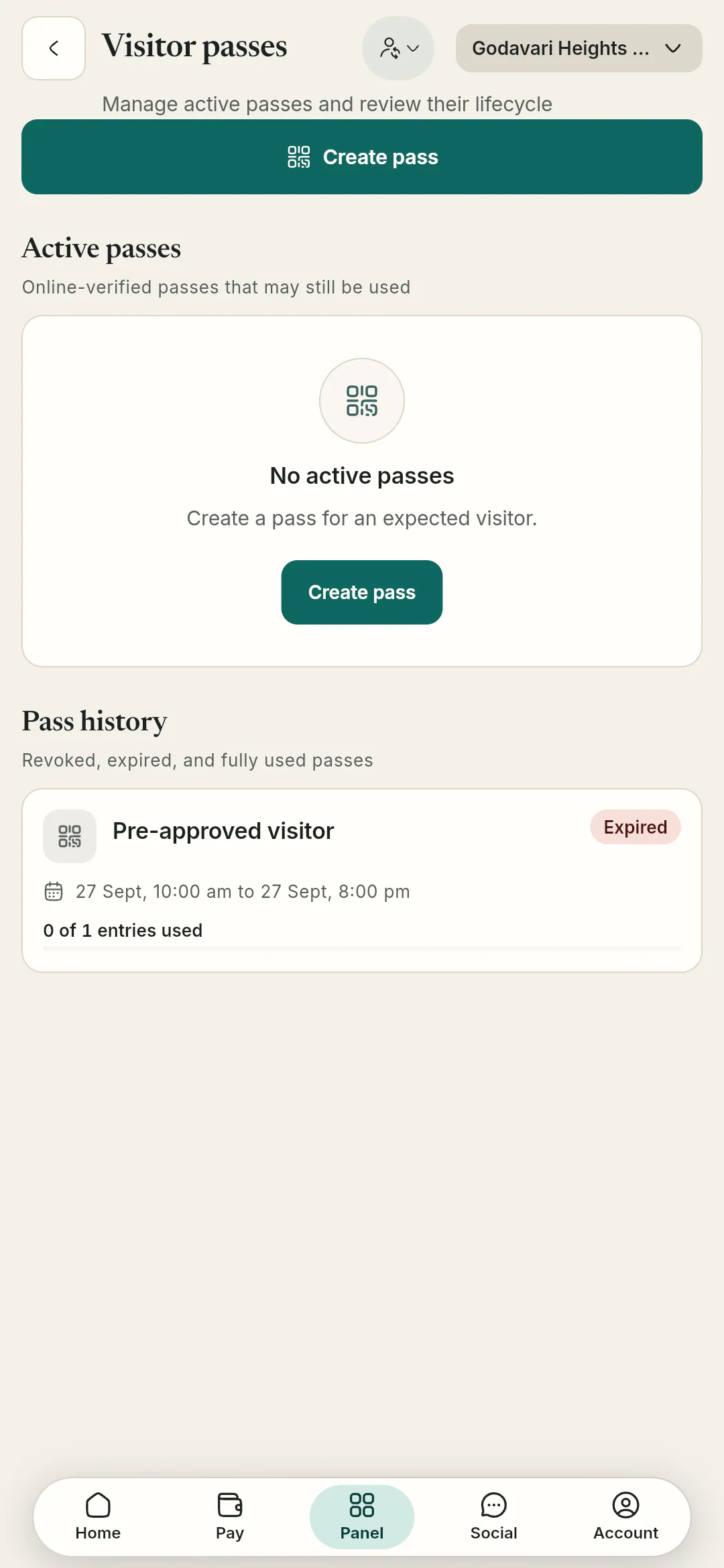
Visitors · resident’s screen Passes and the gate
Create a pass, revoke or re-share it, and answer walk-ins waiting at the gate.
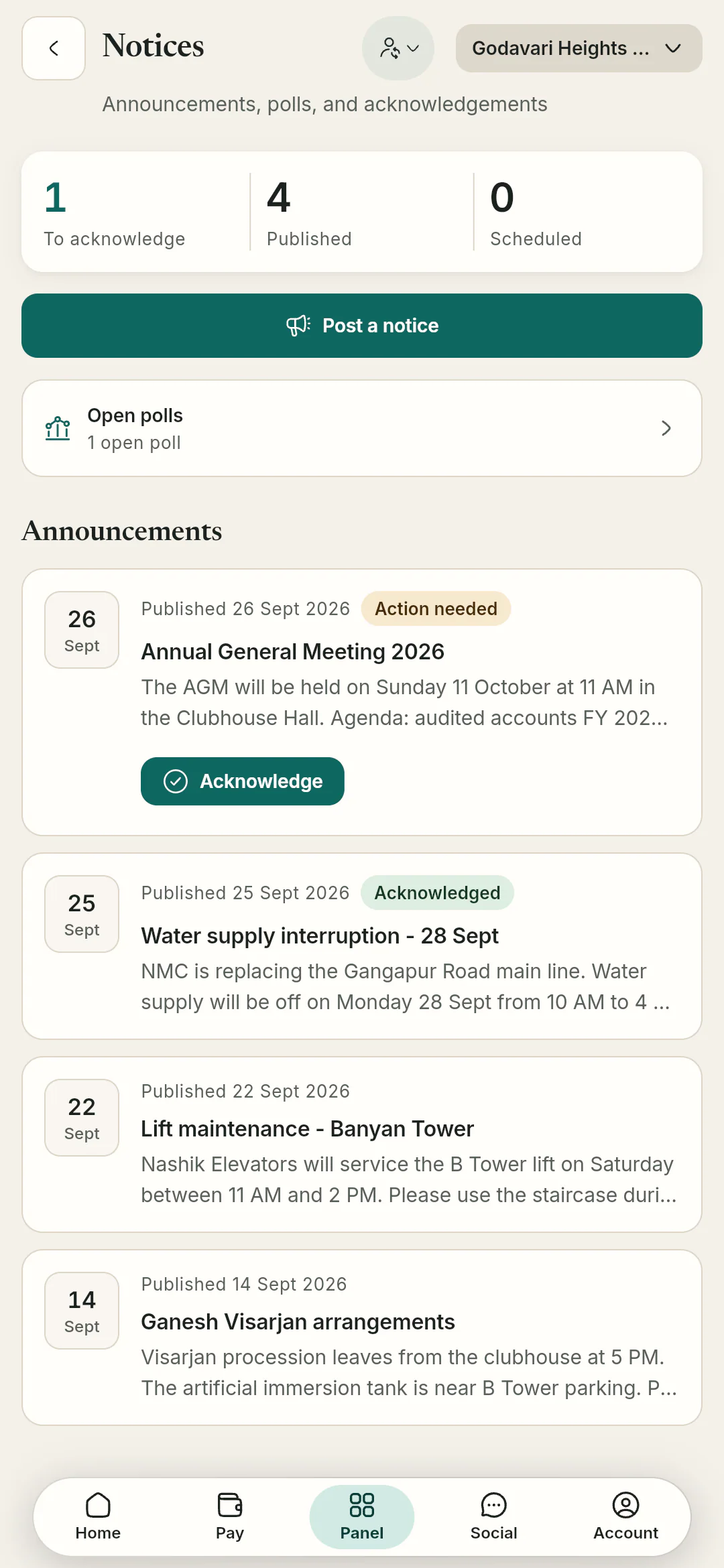
Notices · resident’s screen The notice board
What needs your acknowledgement, what’s published, and the polls that are open.
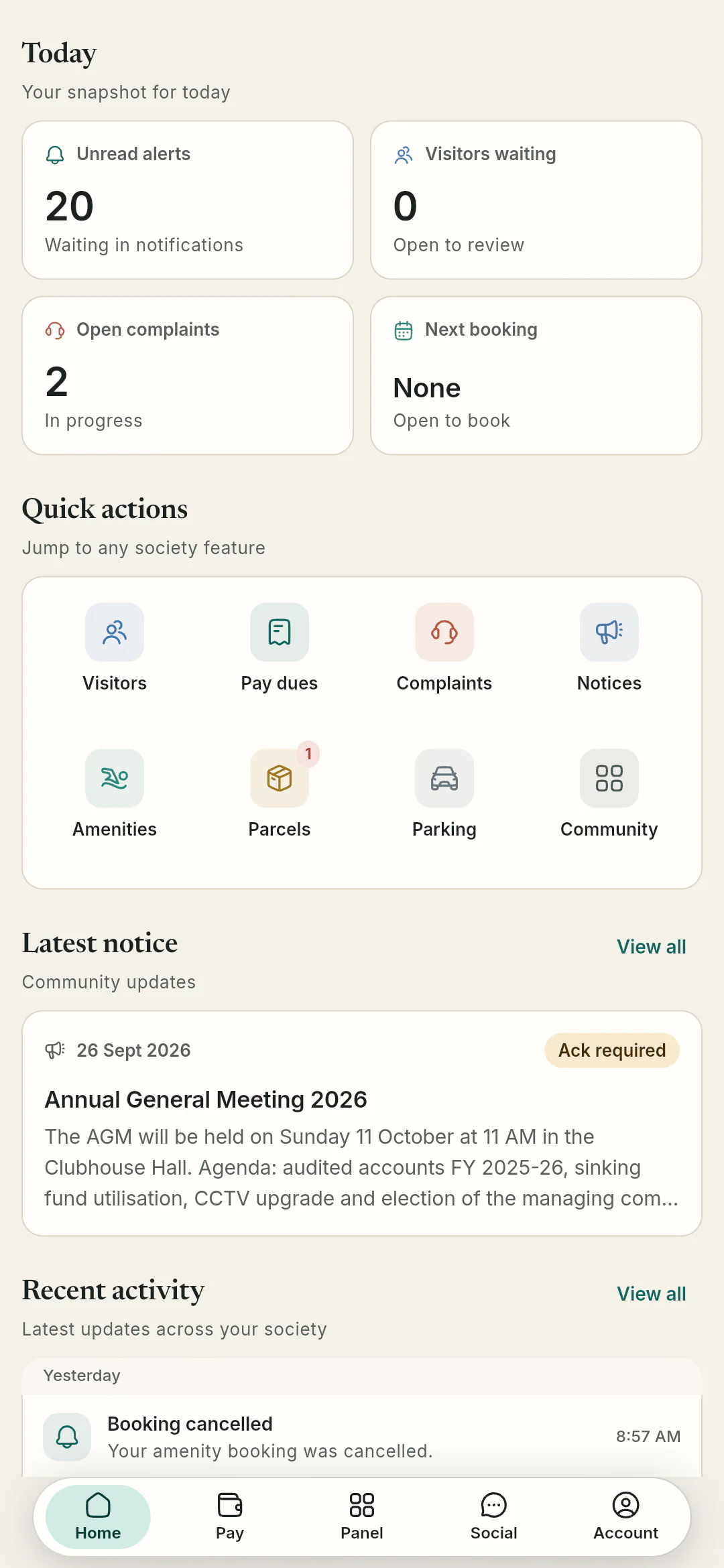
Home · resident’s screen Quick actions
Visitors, dues, complaints, notices, amenities, parcels and parking, one tap each from home.
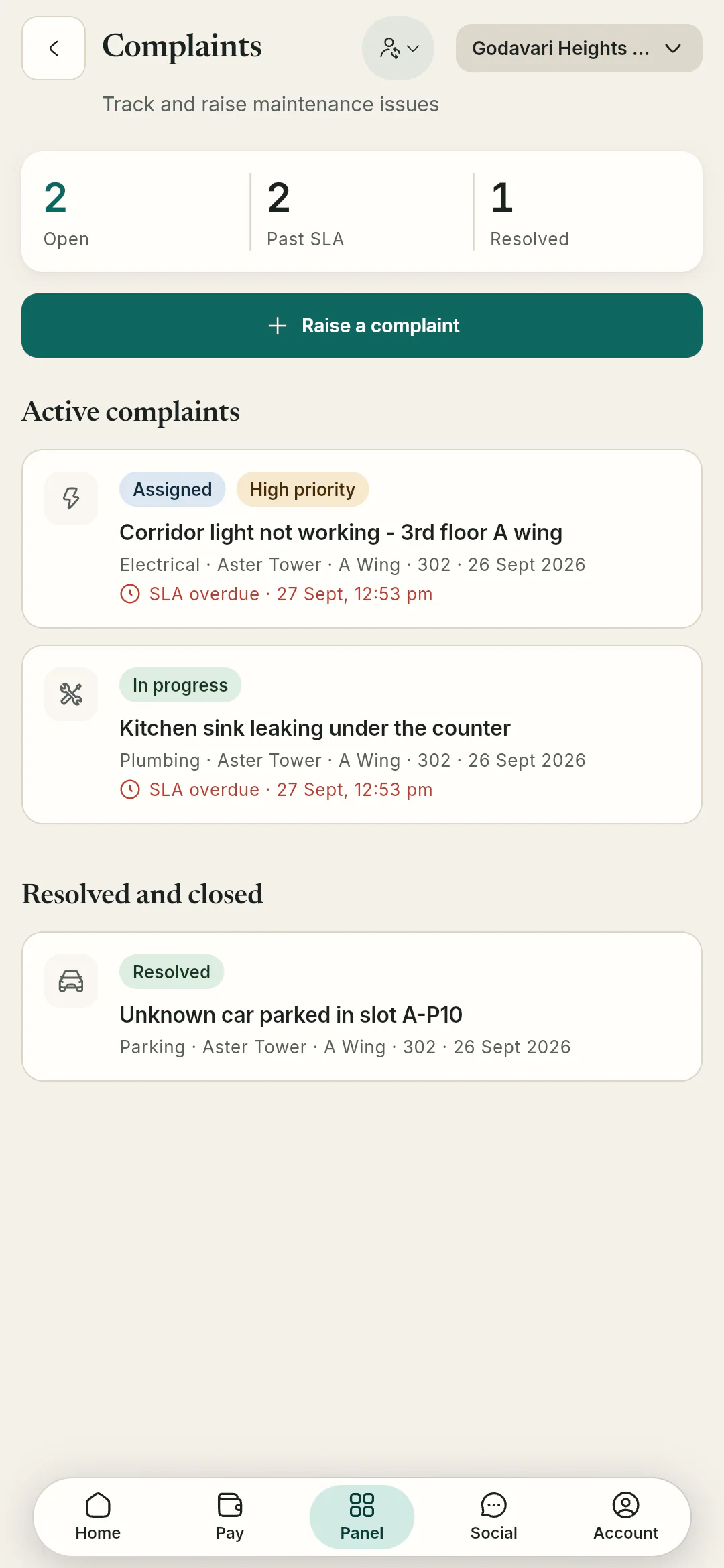
Complaints · resident’s screen Issues you raised
Open complaints, what’s past its SLA, and a button to raise a new one.


What you can do in the app
Owners and tenants get all of it. Family members get a narrower set: visitors, notices and polls.
Dues, invoices and receipts
Each invoice lists its charges. Pay online when your society switches it on, or pay the office as usual; the accountant records it and your receipt appears either way.
Dues & payments in detail- Invoice PDFs and payment history
- A PDF receipt for every payment
- Refund requests
Visitors and parcels
Passes carry a QR code and a six-digit OTP, and wrong codes lock out. Parcels logged at the gate notify you, with an optional OTP so the right person collects them.
Gate & visitors in detail- Time-bound passes you can revoke
- Approve or deny walk-ins
- Parcel alerts and OTP pickup
Notices, polls and meetings
Acknowledge notices, vote in polls and RSVP to society meetings. Minutes are locked once published.
Community in detail- Acknowledge in one tap
- Change your vote until the poll closes
- Meeting RSVPs and minutes
Complaints and amenities
Raise complaints with photos. Book amenities inside the windows the committee sets; there is no approval step, and any fee goes on your invoice.
Complaints & amenities in detail- Photos and status updates
- Instant amenity bookings
- Fees credited back if you cancel in time
SOS and your household
Raise a medical, fire or security SOS. It reaches on-duty guards and the committee, even in their quiet hours.
- Household members and dues
- Personal emergency contacts
- Move-in and move-out requests
How residents join
Your society has to be on OGSetu first. After that, joining takes a code and an approval.
Step 1: Get a Qviple account
Everyone signs in with Qviple. If you don’t have an account, create a free one in the Qviple app.
Step 2: Sign in to OGSetu
Use your Qviple username or phone and password, or a six-digit OTP sent to your mobile.
Step 3: Enter your society code
Your committee shares it. Add your flat and send the request.
Step 4: Your admin approves
They confirm you as owner, tenant or family. Flat owners can also be invited directly by Qviple username.
Is your society not on OGSetu yet? We set up each society with its committee. Show your committee
Bring OGSetu to your societyQuestions residents ask
All questionsNo. OGSetu uses your Qviple account, the same login as other Qviple services. Sign in with your password or a six-digit OTP, and reset your Qviple password from inside OGSetu if you need to.
Online payment through PhonePe is built in and your society switches it on. Until then, pay the office as usual; the accountant records it and your PDF receipt appears in the app.
Tenants join the same way owners do. Family members get a narrower set: they can approve visitors, acknowledge notices and vote in polls.
Yes. Account → Export my data downloads your profile, flats, dues, complaints and visitor entries. Deleting your account removes it; payment records stay, anonymised, for the society’s accounts. Your Qviple account is not touched.
OGSetu is built for Android, iOS and the web. Public store listings are not live yet, so access is set up for each society during onboarding.