
Your society, calmly run.
Dues, visitors, notices and decisions in one app. Residents, guards, accountants and the committee each see what they need.


Real screens from Godavari Heights CHS, a sample society. Device visualization.
- Every society screen in
- English, हिन्दी, मराठी
- Sign in with
- Qviple, by password or OTP
- Onboarding
- Done by us, with your committee
Four registers every society keeps, and what replaces them
Most committees still run the society on a gate notebook, a WhatsApp group, a printout by the lift and a spreadsheet. OGSetu keeps the same records, in one place where everyone sees their part.
Visitor register
Today, in most societies: A notebook at the gate. Names nobody can read, flats nobody checked.
With OGSetu: Guards register walk-ins with a photo and the resident approves from their phone. Pre-approved guests show a QR or OTP pass, and every entry lands in one gate log.
See the screenMaintenance collection
Today, in most societies: Dues chased in the WhatsApp group, receipts written by hand.
With OGSetu: A billing cycle raises an invoice for every flat. Residents see what they owe on their home screen and get a PDF receipt for every payment, online or recorded at the office.
See the screenNotice board
Today, in most societies: A printout by the lift. No way to know who has read it.
With OGSetu: Notices go to the right towers and roles and ask for an acknowledgement, so the committee sees who has read them and can remind the rest.
See the screenSociety accounts
Today, in most societies: An Excel file on the treasurer’s laptop.
With OGSetu: Billed, collected and outstanding in one ledger, with expenses, refunds and dues aging, exported as CSV or PDF for the AGM.
See the screen
One app for the five parts of society life
Every panel below is a real screen from the app. Pick a part of the society to see how it works.
The gate keeps its own register
Residents pre-approve guests with a QR code and a six-digit OTP pass. Guards register walk-ins with a photo, and the resident approves or denies from their phone. Deliveries, cabs and service visits have their own types, and the gate keeps working on a patchy network.
- QR and OTP visitor passes the resident can revoke
- Walk-in registration with photo and resident approval
- Several gates, a visitor blacklist and one society-wide gate log


Every flat gets its bill, and its receipt
Billing cycles raise invoices by flat, carpet area or occupants, with line items and proration. Residents see what they owe on their home screen and download PDF invoices and receipts. Online payment through PhonePe can be switched on per society; cash, cheque and NEFT are recorded by the accountant.
- Charge heads: fixed, per flat, per sq ft or per occupant
- A PDF invoice and receipt for every payment
- Configurable late fees and refund requests


The treasurer’s books, without the spreadsheet
A billing cycle raises every flat’s invoice: generate it, review it with any waivers or late-payment penalties, then finalise. Expenses with the bill attached, refunds and reversals sit in the same ledger, and collection, dues aging, trial balance and expense reports export for the AGM.
- Generate, review and finalise billing cycles
- Waivers, penalties, expenses, refunds and reversals
- CSV and PDF reports for the AGM

Notices people read, decisions people can see
Publish notices to towers or roles and see who has acknowledged them. Run polls with one vote per flat or per resident, take complaints with photos and SLA deadlines, let residents book amenities inside the rules you set, and hold meetings with RSVP, quorum and minutes that lock once published.
- Notice acknowledgements and reminders
- Polls, complaints and amenity booking
- Meetings with RSVP, quorum and tamper-evident minutes


Everything the society office keeps track of
Parcels are logged at the gate with an optional OTP pickup. Domestic staff check in with a pass code, parking slots are allocated to flats, and vendors, assets and their maintenance logs sit in one place. Documents can be shared with the committee, all residents or a single flat.
- Parcels with OTP handover
- Staff, vendors, assets and parking
- Documents with per-flat visibility


Also in the app
- SOS
- Medical, fire or security alerts reach on-duty guards and the committee, even in quiet hours.
- Notifications
- One inbox with per-category preferences and quiet hours.
- Household
- Occupants, emergency contacts, and move-in or move-out requests.
- Themes
- Light, dark or system, with 28 themes to choose from.
- Social tab
- Posts, chat and events on the Qviple network, kept apart from society records.
- Your data
- Every member can export their data or delete their account.
Four people run a society. Each gets the app they need.
Residents, the committee, guards and the accountant share one society, not one screen. What each person sees follows their role, and every change is checked on the server.
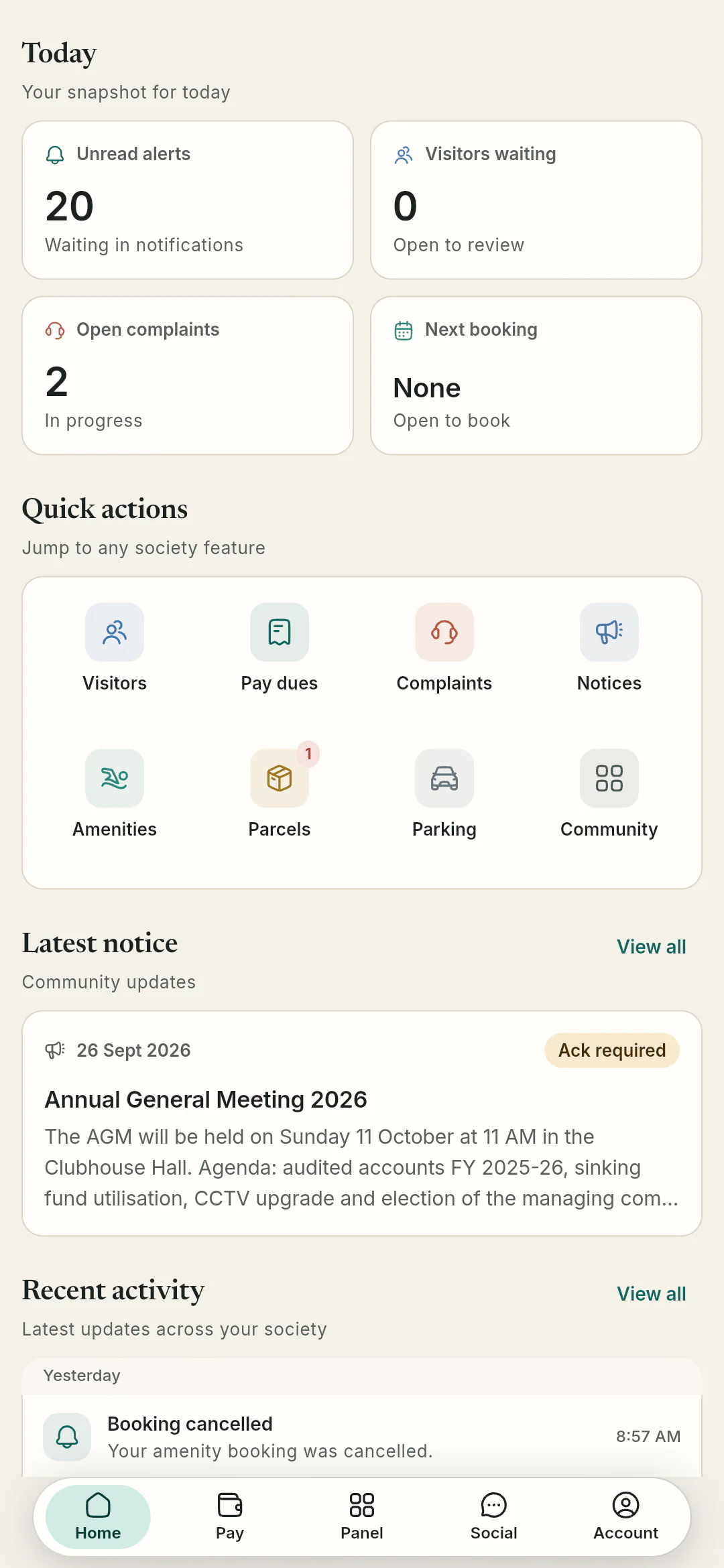
Resident
Owners, tenants and family
- See dues, invoices and receipts
- Pre-approve guests and answer the gate
- Raise complaints, vote and book amenities
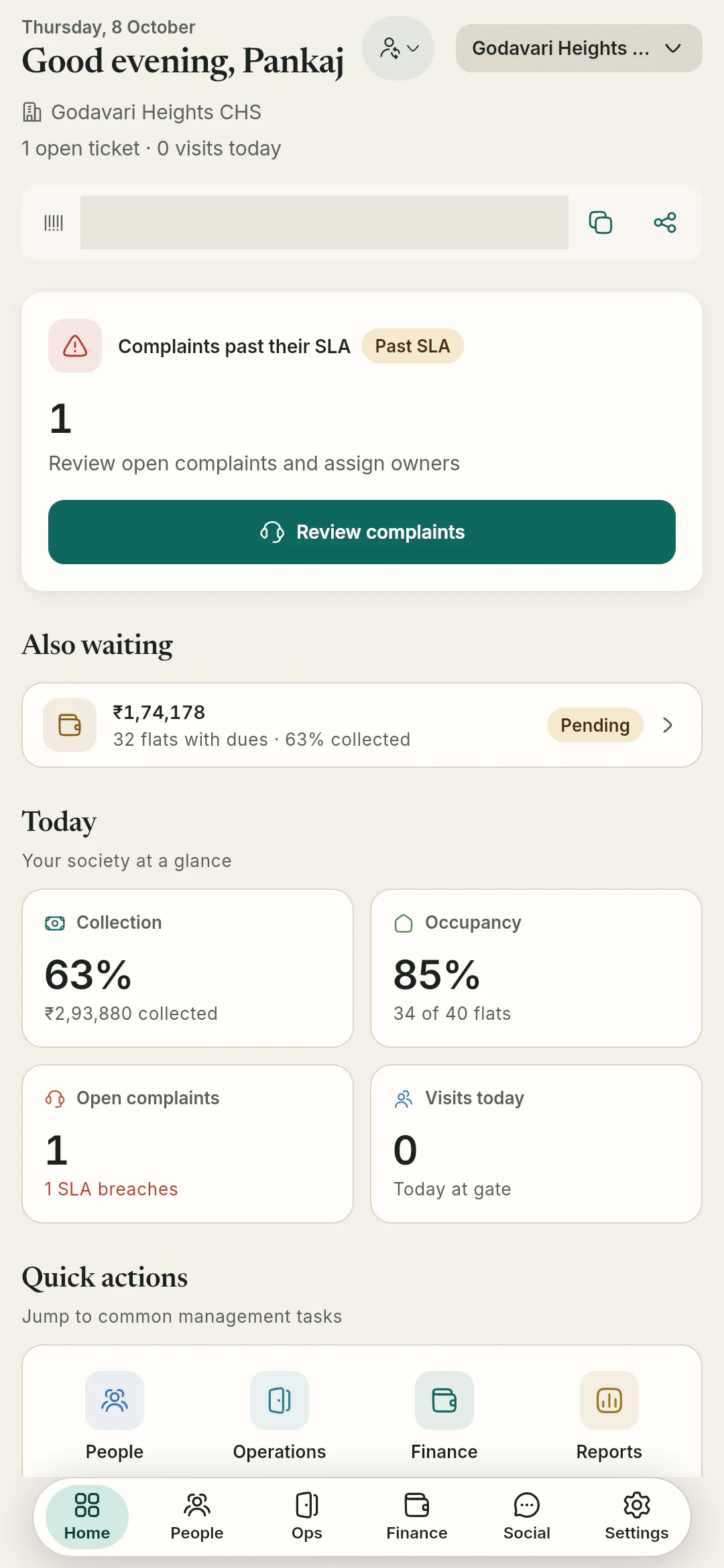
Committee
Secretary, chairman, society admin
- Collections and open issues at a glance
- Approve join requests and assign roles
- Notices, meetings and the operations hub
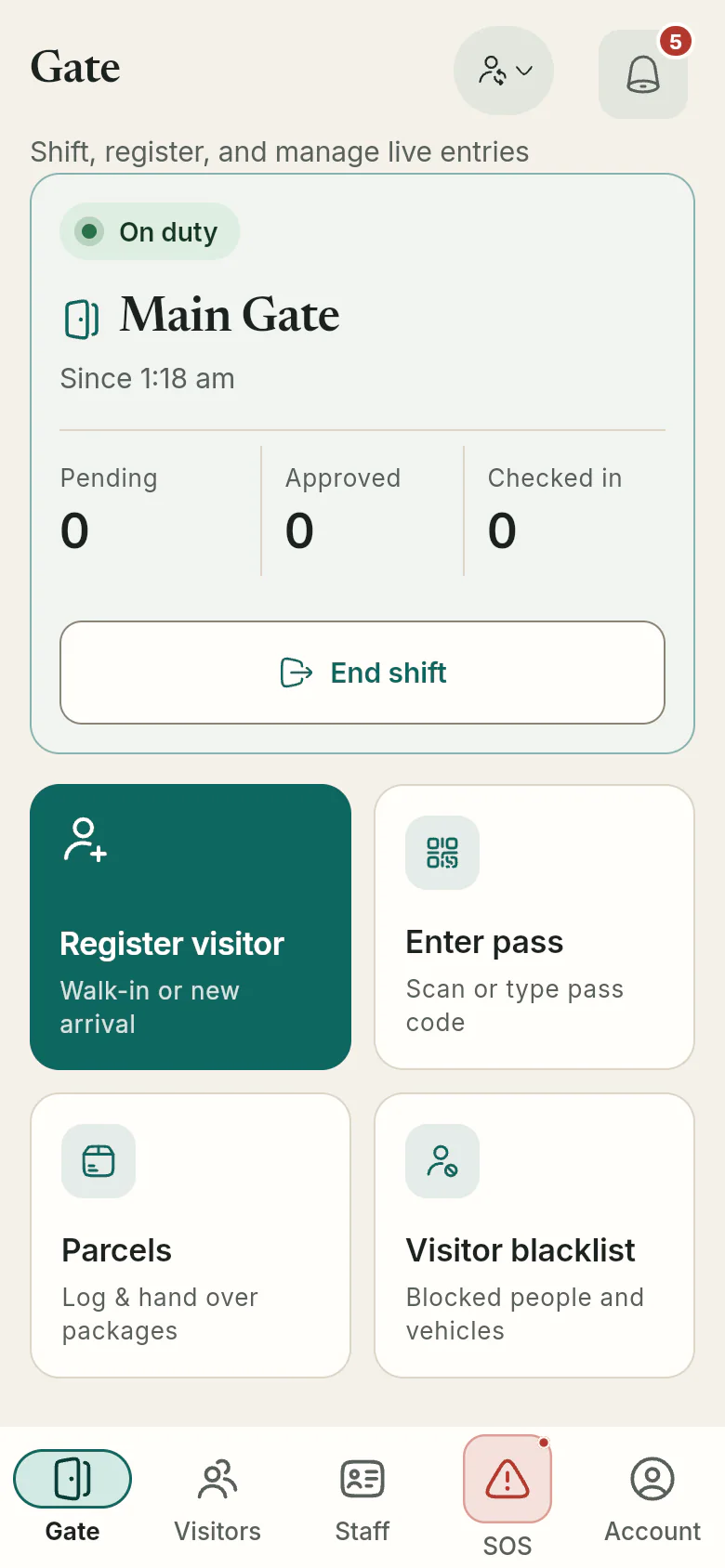
Guard
On shift at the gate
- Start and end a shift at a gate
- Register walk-ins, check QR and OTP passes
- Log parcels and staff, respond to SOS
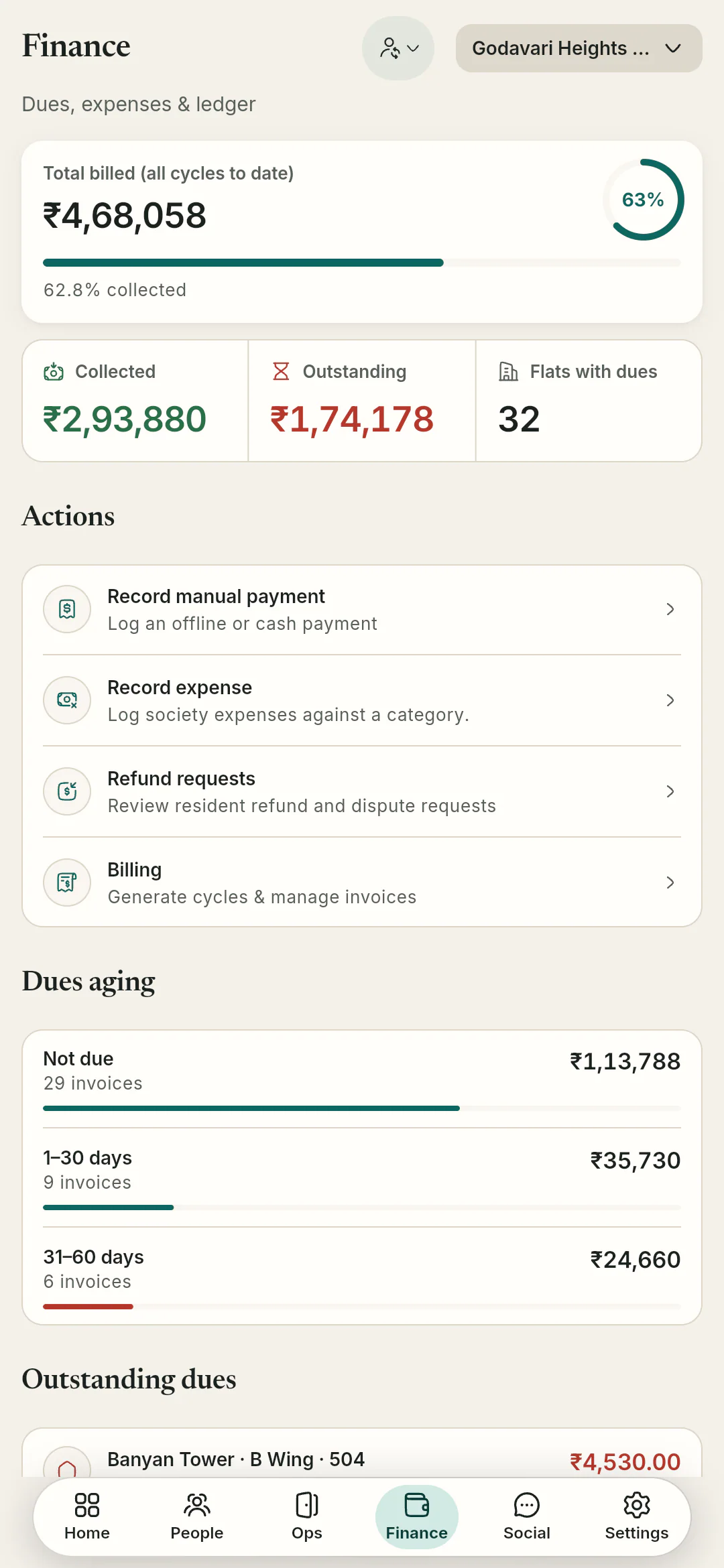
Accountant
Treasurer or society accountant
- Generate and finalise billing cycles
- Record payments, expenses and refunds
- Ledger, trial balance and reports


One tap reaches everyone who can help
Most societies still handle an emergency by phoning the guard cabin and hoping someone picks up. In OGSetu a resident raises an SOS, and the people on duty hear about it at once, even at 2 a.m.
Step 1: Say what it is
Medical, fire, security or other. The app attaches an approximate location when it can, and sends the alert even when it can’t.
Step 2: Everyone on duty is alerted
On-duty guards, the committee, society admins and the society’s SOS contacts get it in the app and as a push notification.
Step 3: Quiet hours don’t apply
Notifications someone has silenced for the night still let an SOS through.
Step 4: Someone takes it, and you know
The alert moves from active to acknowledged to resolved or false alarm, and the person who raised it is told at each step.
Step 5: No network? Call instead
If the alert can’t be sent, the app offers to dial a phone number. Repeat presses within two minutes merge into one alert.
How a society gets started
There is no sign-up form. We set up each society together with its committee.
Step 1: Book a demo
We walk your committee through the app on a sample society and talk through your towers, charges and gates.
Step 2: We create your society
The OGSetu team sets up your society and hands your admin a one-time claim code.
Step 3: Your admin fills it in
Towers, wings and flats (paste a list of flat numbers), charge heads, gates, SOS contacts and amenities.
Step 4: Residents join with your code
Residents sign in with Qviple and enter the society code. The admin approves each request and assigns committee, accountant and guard roles.
Your society’s records are shared only within your society
That line is on the app’s sign-in screen. Here is what stands behind it.
This website sets no cookies and runs no trackers.

- Checked on the server
- Every change is checked against the person’s society and role before it is saved, not just hidden in the app.
- One-time codes
- Claim codes, visitor passes and parcel pickups use one-time codes. Claim codes are stored only as hashes, and repeated wrong guesses lock out.
- Sessions that end
- Sign-in sessions expire after eight hours of inactivity, and shared documents download through time-limited links.
- Your data, your call
- Any member can export their data or delete their account from the app. Payment records stay, anonymised, so the society’s accounts still add up.
Questions committees ask
All questionsQviple is the account OGSetu uses for sign-in; the same login works across Qviple apps. Anyone without an account creates a free one in the Qviple app, then signs in to OGSetu with a password or an OTP sent to their mobile number.
Your admin shares the society’s join code. A resident signs in, enters the code and their flat, and the admin approves the request as owner, tenant or family.
Online payment through PhonePe is built in and is switched on per society. Cash, cheque, NEFT and UPI transfers made outside the app can always be recorded by the accountant, and every payment gets a PDF receipt.
OGSetu is built for Android, iOS and the web. Public store listings are not live yet, so we set up access for each society during onboarding.
Pricing is per society. Tell us about yours on a demo call and we will share a quote.
See it with your own committee
A demo takes your committee through the gate, the dues and the notice board on a sample society. Then we set up yours.
Or write to hello@ogsetu.com