
Solutions / Builders
Hand over a society with its records already in order.
For builders and property managers setting up a new society: we create it on OGSetu with you, you lay out the towers, wings and flats, and owners move in to a society that already works.
- Society setup
- Done by the OGSetu team, with you
- Flats
- Paste a list, up to 1,000 at a time
- Owners
- Invited by Qviple username


Screens from Godavari Heights CHS, a sample society.
Possession day, without the spreadsheet hunt
Between the sales team’s unit list and the first committee meeting, a new society’s records usually live in five places.
The flat list
On most projects today: A spreadsheet from the sales office, retyped into whatever the society uses next.
With OGSetu: Paste the flat numbers for each wing, with carpet area if you have it: 101, 102:650, 103. Up to 1,000 flats in one go.
Owner handover
On most projects today: Keys handed over, then a hunt for phone numbers.
With OGSetu: Invite each owner by their Qviple username. Their owner role is waiting when they sign in, or they redeem a one-time claim code.
Early maintenance
On most projects today: Billed from the site office, receipts on letterhead.
With OGSetu: Charge heads per flat, by carpet area or by occupants. Billing cycles raise PDF invoices, and every payment gets a PDF receipt.
Handover papers
On most projects today: Bylaws, NOCs and warranty cards in a carton at the office.
With OGSetu: Upload documents for the committee, all residents or a single flat, and keep lifts and pumps in the asset register with their warranty and AMC details.
Setting up a society, screen by screen
What your admin works through after we create the society. These are the real screens.
We create the society
Name, address and your admin’s Qviple username. The society is active straight away.
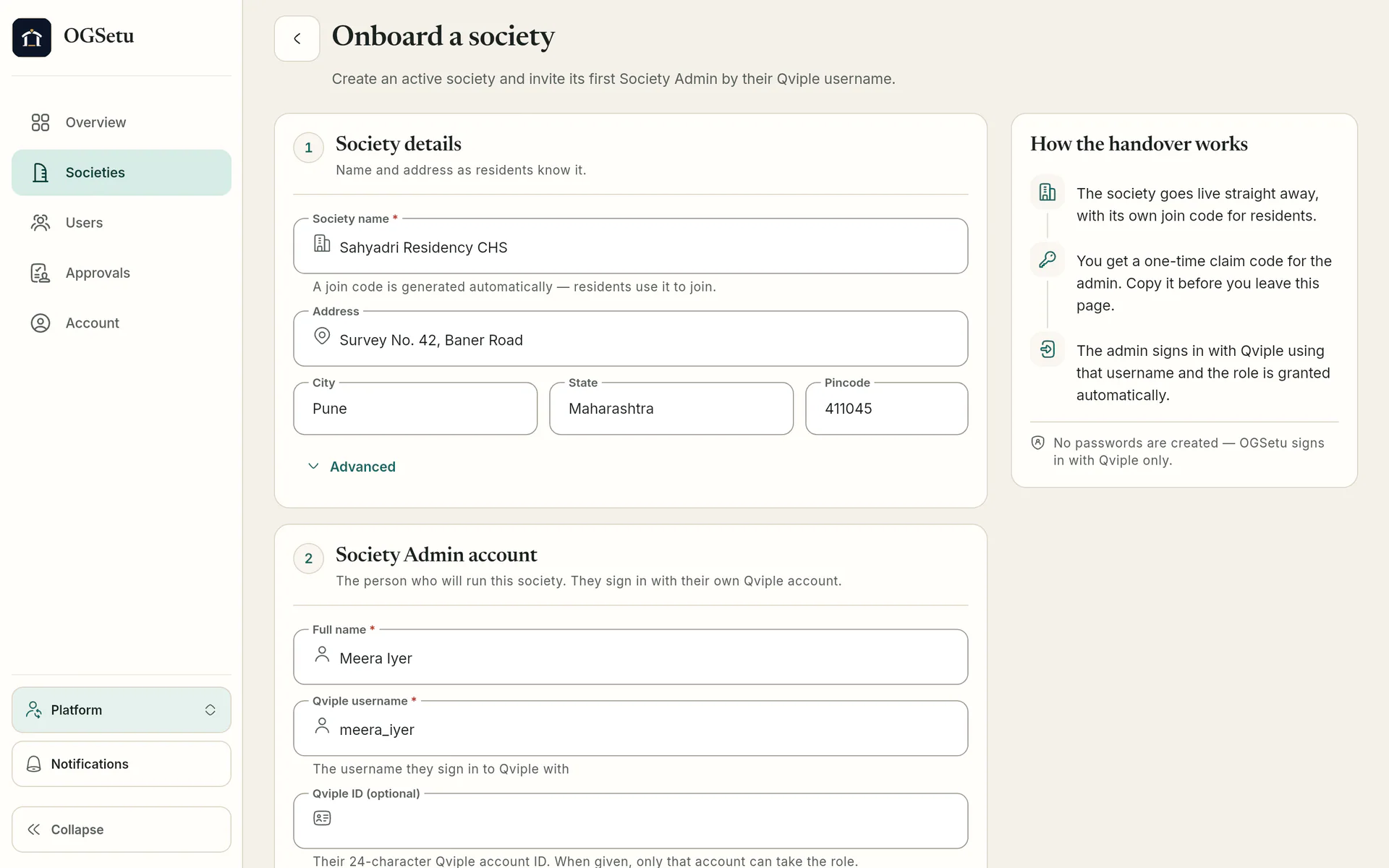
OGSetu team’s screen The first billing cycle
Generate invoices for every flat, review them and finalise. Monthly auto-generation is optional.
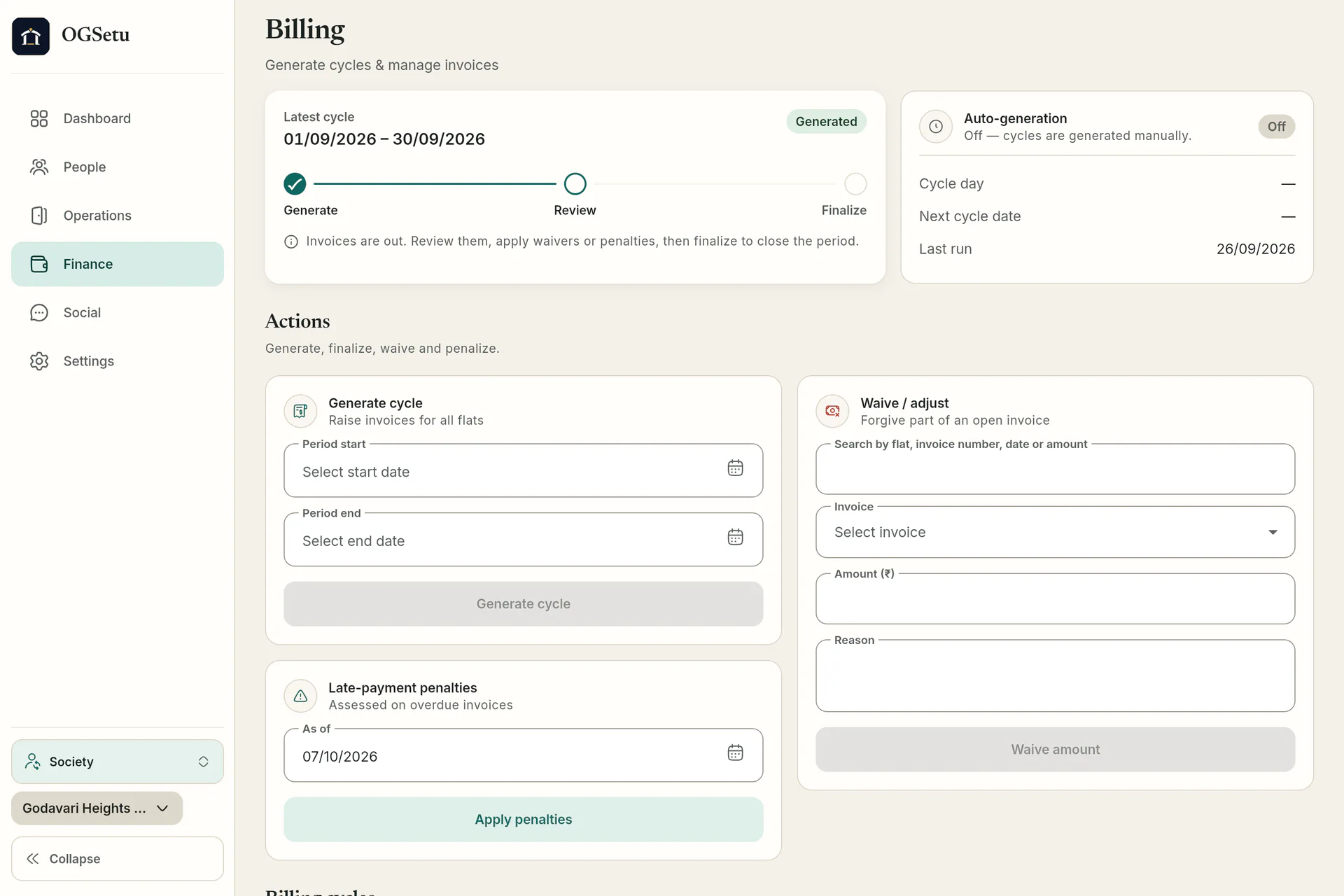
Finance · committee’s screen Vendors and contracts
Keep the lift AMC, plumbers and the security agency in one directory with their category, GSTIN and contracts.
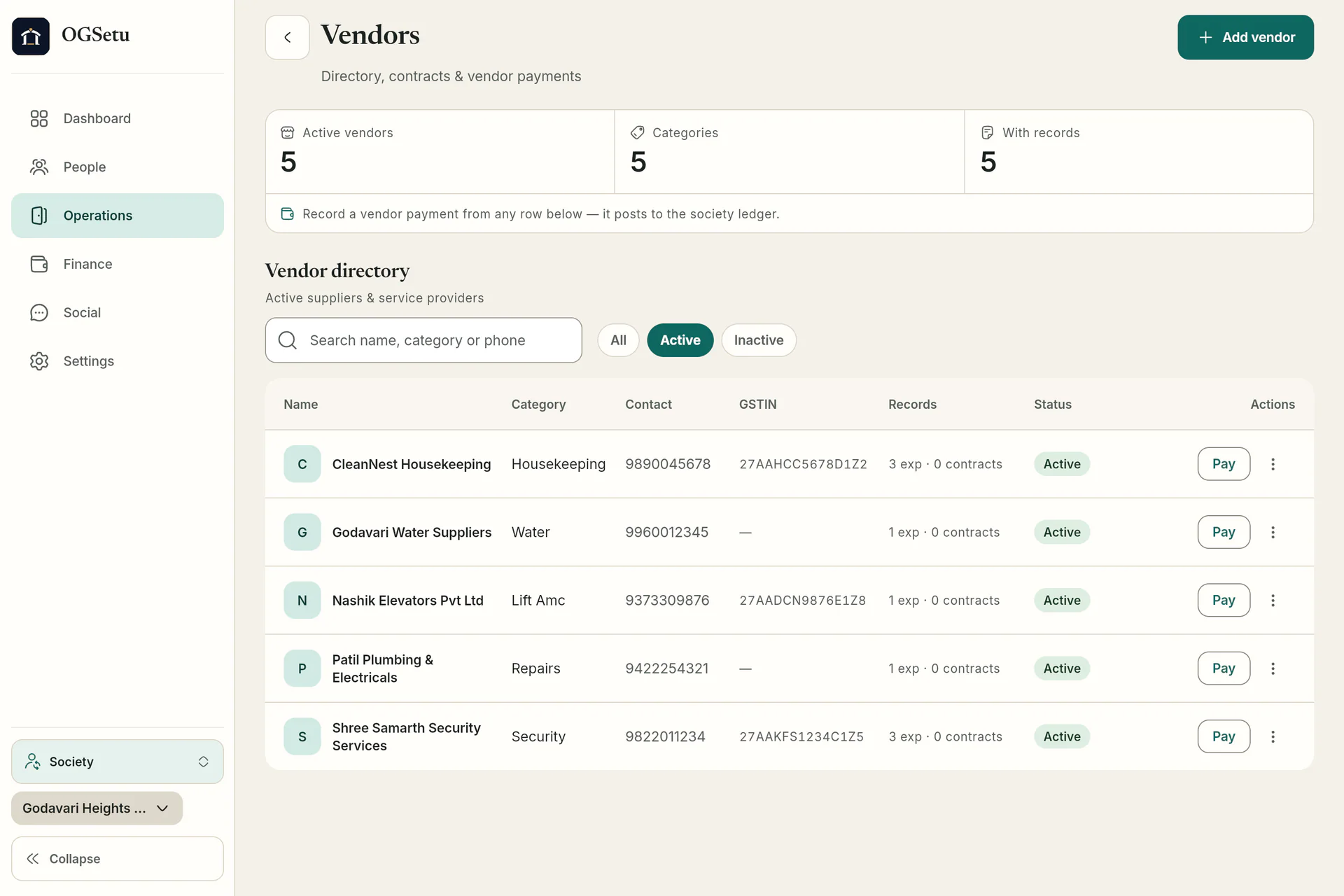
Ops · committee’s screen


What’s ready on handover day
Everything a committee inherits from you, already in the app.
Society structure
Towers and wings, then flats with carpet area. Paste a list of flat numbers instead of typing them one by one.
- Up to 1,000 flats per paste
- Carpet area after a colon: 102:650
- Occupancy by flat
Owner invites and claim codes
Invite owners by Qviple username; the role is granted when they sign in. Claim codes are a one-time fallback, valid for 30 days and stored only as hashes.
- Owner role waiting at first sign-in
- Handover-card claim codes
- Residents join with the society code
Billing from the first month
Charge heads fixed, per flat, per sq ft or per occupant, with proration for part months.
Dues & payments in detail- Billing cycles with review and finalise
- Optional monthly auto-generation
- PDF invoices and receipts
Documents and assets
Share documents with the committee, all residents or one flat through time-limited download links. Log assets with warranty and AMC end dates and their maintenance history.
Operations in detail- Per-flat document visibility
- Asset register with maintenance logs
- Vendor directory with GSTIN
Worth knowing before you start
So nobody plans around something the app doesn’t do.
- No file import
- Flats are added by pasting a list, not by uploading a CSV or spreadsheet. Towers and wings are added one at a time.
- No resident import
- Owners are invited one by one by Qviple username; everyone else joins with the society code.
- One society at a time
- Each society is set up separately by the OGSetu team. Talk to us about a multi-tower or multi-phase project.
- Admin handover
- A society always keeps at least one admin; the last admin can’t be removed. Plan the handover to the committee with us.
How a project gets set up
We create every society ourselves, so setup starts with a conversation.
Step 1: Talk to us
Tell us about the project: towers, wings, flats and when possession starts.
Step 2: We create the society
The OGSetu team sets it up and invites your admin by Qviple username, with a claim code as the fallback.
Step 3: Your admin lays it out
Towers, wings and pasted flat lists; charge heads, gates, SOS contacts, amenities and documents.
Step 4: Owners move in
Invite owners by username or share the society code. When the committee forms, it takes over from you.
Questions builders ask
All questionsNot as a file. Copy the flat numbers and paste them as a comma-separated list, adding carpet area after a colon (101, 102:650, 103). Up to 1,000 flats go in per paste.
No. Owners are invited one at a time by their Qviple username, and the role is waiting when they sign in. Tenants and family join with the society code and are approved by the admin.
No. Only the OGSetu team can create a society. Tell us the name, address and your admin’s Qviple username and we set it up.
Committee members join the society and the admin assigns their roles. A society always keeps at least one admin, and a sole admin has to hand over before leaving, so we plan the admin handover with you.