
Solutions / Committees
Every register the committee keeps, in one place.
Dues, the gate, notices, complaints and the people in your society sit in one app. The committee sees all of it; residents, guards and the accountant each work in their own part.
- Your tabs
- Home · People · Ops · Finance · Social · Settings
- Access
- Set up by us, claim code for your admin
- Every society screen in
- English, हिन्दी, मराठी


Screens from Godavari Heights CHS, a sample society.
The week a committee member knows too well
Most of it is chasing: dues, readers, approvals and paperwork, each kept by a different person in a different place.
Dues follow-up
Today, in most societies: A spreadsheet of who has paid, reconciled by hand before every meeting.
With OGSetu: The committee home shows what is outstanding and the share collected, with a follow-up action. Every payment, online or recorded at the office, gets a PDF receipt.
Circulars
Today, in most societies: Posted in the WhatsApp group and buried under the next hundred messages.
With OGSetu: Notices go to the towers and roles you choose. You see who has acknowledged and remind the rest.
New residents
Today, in most societies: Someone moves in and the office finds out weeks later.
With OGSetu: New residents request to join with your society code. You approve them as owner, tenant or family and they appear in the directory.
Meeting minutes
Today, in most societies: Typed up after the AGM and argued over at the next one.
With OGSetu: Meetings carry an agenda, RSVPs, attendance and quorum. Published minutes are locked, so nobody edits them afterwards.
A committee member’s day, tab by tab
The same app residents use, with the society’s side of every record. These are the real screens.
Roles for every member
Approve join requests, invite flat owners and assign committee, accountant and guard roles.
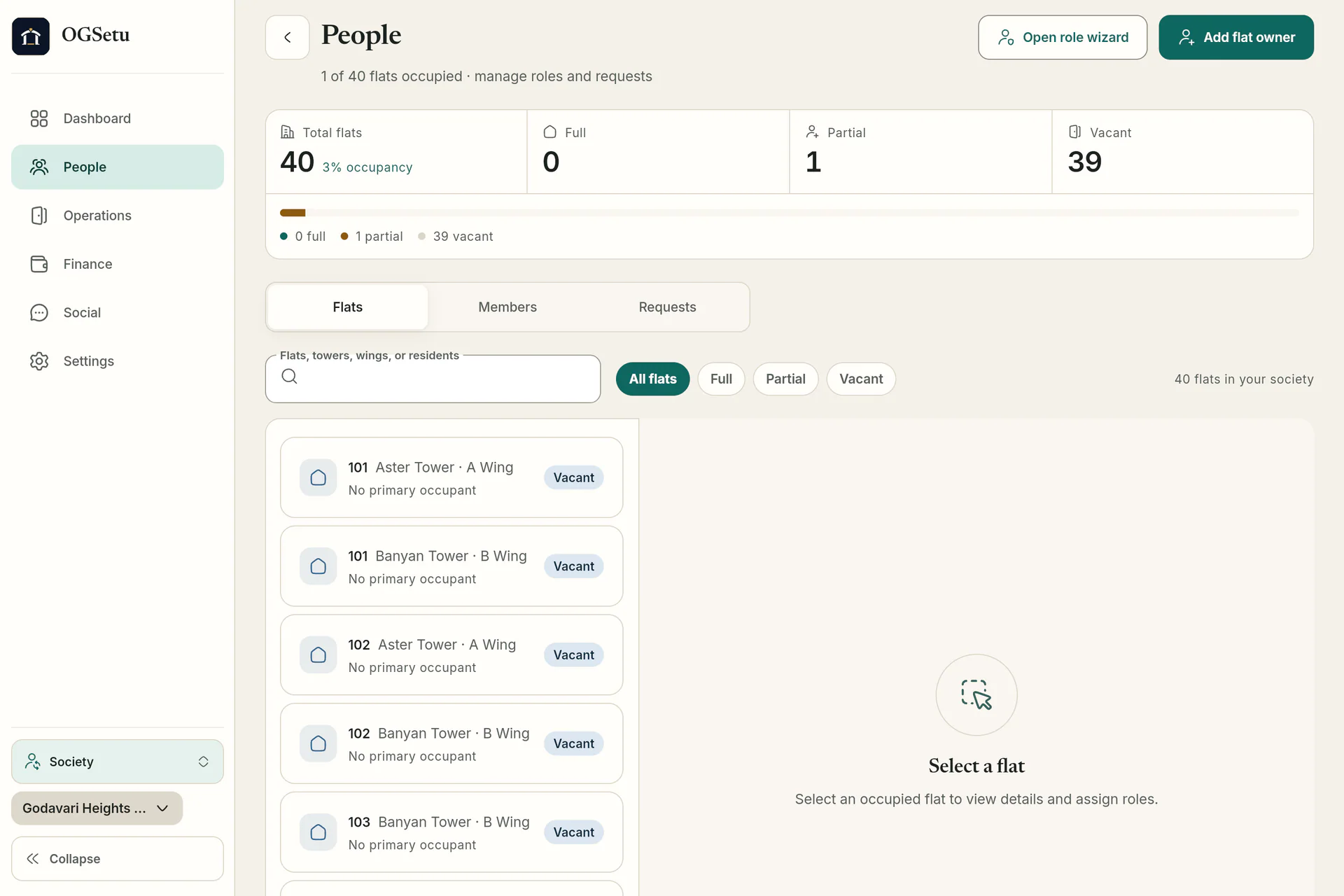
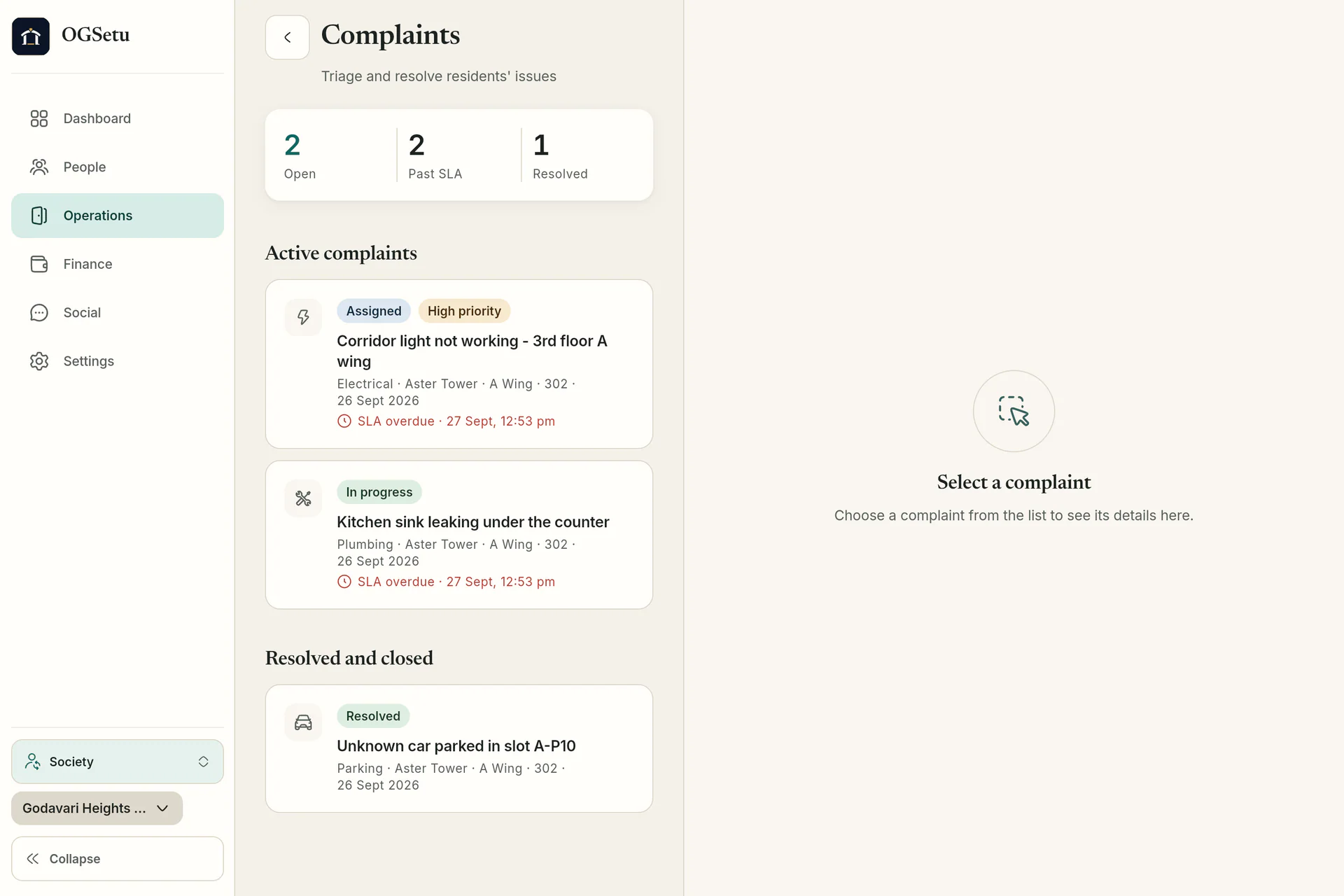
People · committee’s screen The complaints board
Every open complaint by status, priority and SLA, with its details alongside.
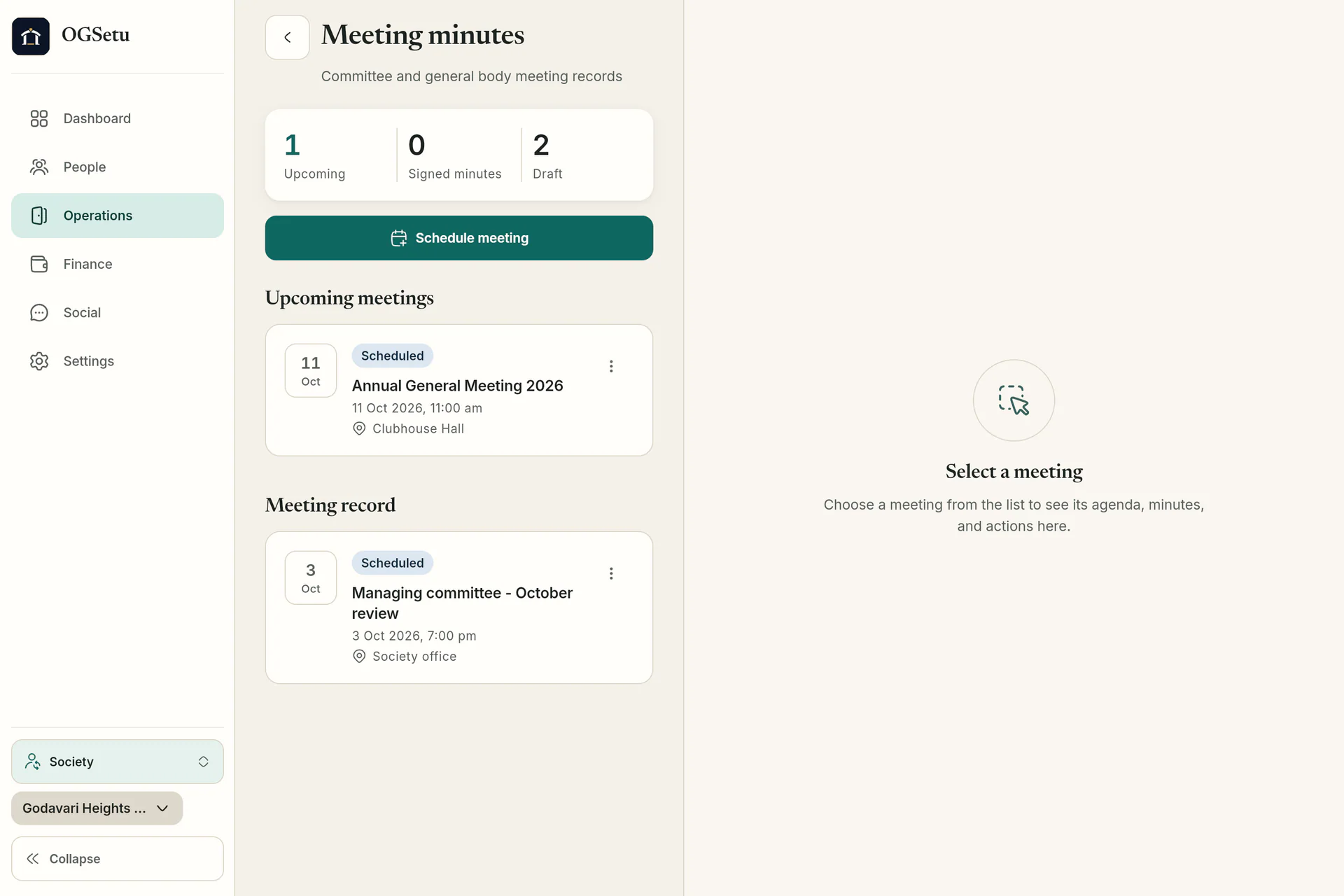
Ops · committee’s screen Meetings and minutes
Schedule committee and general body meetings, take RSVPs and attendance, and publish minutes that lock.
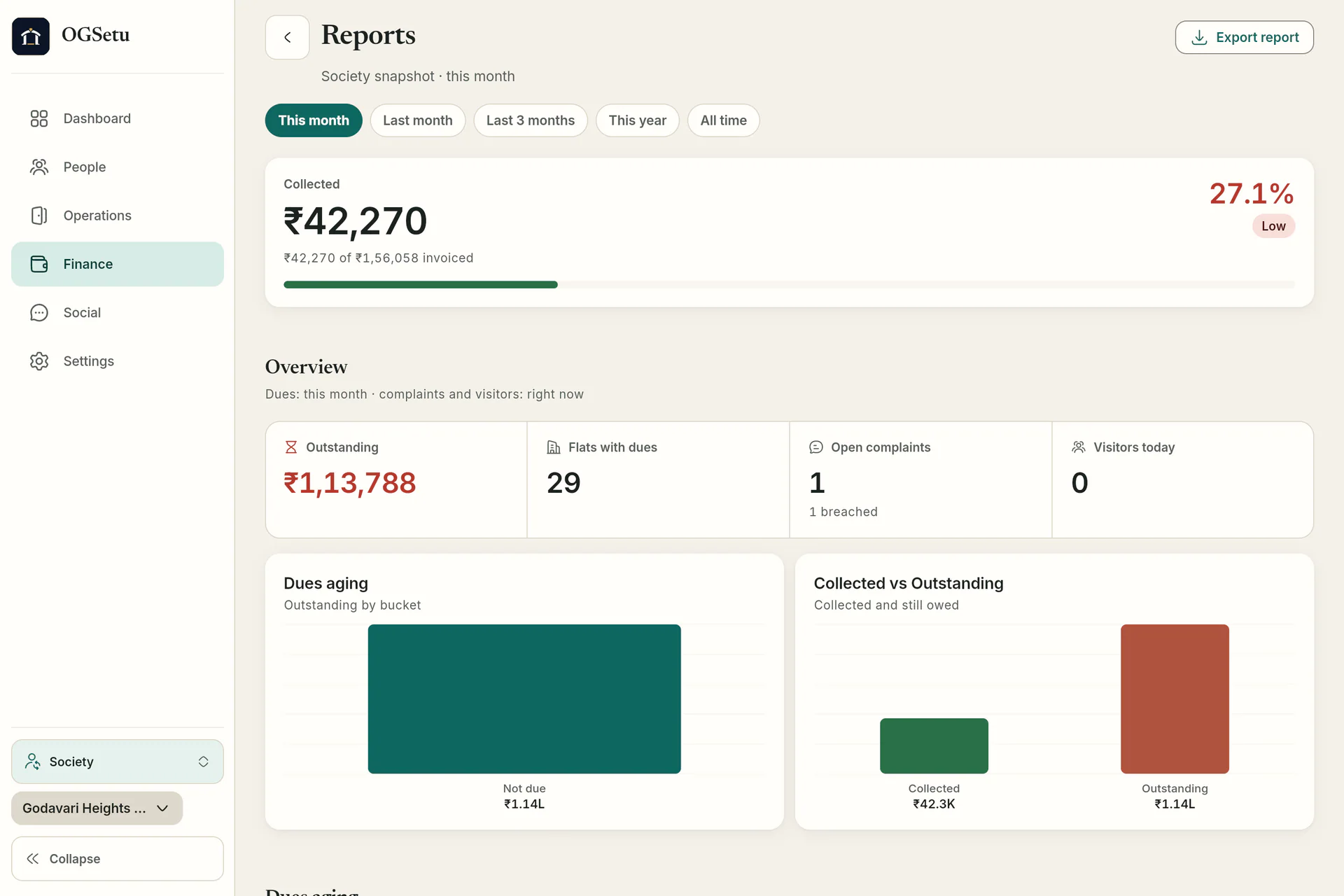
Ops · committee’s screen Reports for the AGM
Collected against invoiced, dues aging and open complaints, exported as CSV or PDF.
Finance · committee’s screen


What the committee gets
Five things committees ask about first. The feature pages have the rest.
Dues and collections
Billing cycles raise an invoice for every flat, charged per flat, by carpet area or by occupants, with proration.
Dues & payments in detail- PDF invoice and receipt for every payment
- Cash, cheque, NEFT and UPI transfers recorded at the office
- Refund requests and payment reversals
- Online payment through PhonePe, switched on per society
Notices, polls and meetings
Decisions the whole society can see, and a record of who saw them.
Community in detail- Notices with acknowledgements and reminders
- Polls with one vote per flat or per resident
- Meetings with RSVP, attendance, quorum and locked minutes
Complaints helpdesk
Residents raise complaints with photos. Each category carries its own SLA hours and default assignee.
Complaints in detail- Priority from low to urgent
- Open, in progress, on hold, resolved, closed or reopened
- SLA due dates on every complaint
People and roles
A flat-wise directory with join requests, owner invites and role assignment. Every change is checked on the server against the person’s role.
- Approve joins as owner, tenant or family
- Assign committee, accountant and guard roles
- The last society admin can’t be removed by mistake
Reports
The numbers the AGM asks for, without rebuilding the spreadsheet.
Finance & reports in detail- Collection summary, dues aging and trial balance
- Payment and expense registers
- Visitor, complaint SLA, amenity and staff attendance reports
How your committee gets started
There is no sign-up form. We set up each society together with its committee.
Step 1: Book a demo
We walk your committee through the app on a sample society and talk through your towers, charges and gates.
Step 2: We create your society
The OGSetu team sets it up and invites your admin by their Qviple username. A one-time claim code on a handover card is the fallback.
Step 3: Your admin fills it in
Towers, wings and flats (paste a list of flat numbers), charge heads, gates, SOS contacts and amenities.
Step 4: Residents join with your code
Share the society code. Residents sign in with Qviple and request to join; the admin approves them and assigns roles.
Questions committees ask
All questionsNo. Society admins hold every permission. Committee members work in the same app, but some treasury and settings actions stay with the admin and accountant. Every change is checked on the server against the person’s role.
Yes. The accountant or admin records cash, cheque, NEFT and UPI transfers made outside the app, and every payment gets a PDF receipt. Online payment through PhonePe is built in and is switched on per society.
Every flat gets an in-app and push notification when a billing cycle is generated, and the committee home shows what is still outstanding. OGSetu does not send SMS or WhatsApp reminders.
When someone deletes their account, their payment and society records stay, anonymised, so the society’s accounts still add up.
Finance and operations reports export as CSV or PDF, and each member can export their own data. There is no single whole-society export file yet.