
Everything a society runs on, in one app
The gate, the dues, the accounts, the notice board and the society office, shared by residents, guards, the accountant and the committee. Each part below is a real screen from the app.
- Society roles
- Resident, committee, guard, accountant
- Every society screen in
- English, हिन्दी, मराठी
- Runs on
- Android, iOS and the web
Screens from Godavari Heights CHS, a sample society.
Gate & visitors
Pre-approved passes for guests, a photo and the flat’s approval for everyone else, and one log of every entry.
Gate & visitors in detail

- Visitor passesA QR code and a six-digit OTP, shared from the resident’s phone and revocable.
- Walk-insRegistered with a photo, visitor type, flat and gate; the flat approves or denies.
- Guard consoleShifts per gate, who is waiting and who is inside, and it keeps working offline.
- Gate log and blacklistEvery entry at every gate; blocked phones, vehicles and names are checked.
- SOSMedical, fire, security or other; on-duty guards and the committee are alerted, even in quiet hours.
- ParcelsLogged at the gate against a flat, with optional OTP pickup.
Dues & payments
Billing cycles raise every flat’s invoice; residents see what they owe and keep PDF invoices and receipts.
Dues & payments in detail

- Billing cyclesGenerate, finalise or void; optionally generated on a set day each month.
- Charge headsFixed, per flat, per sq ft of carpet area or per occupant, with proration.
- PDF invoices and receiptsLine items on every invoice, and a receipt for every settled payment.
- Recorded paymentsCash, cheque, NEFT and UPI transfers, entered by the accountant.
- Online paymentPhonePe checkout with UPI, built into the app.Switched on per society
- Refunds and reversalsRequested, approved or rejected, and completed on the record.
Finance
Billed, collected and outstanding in one ledger, with the reports a committee is asked for.
Finance in detail
- Finance consoleBilled, collected and outstanding for the whole society.
- Dues agingOutstanding amounts by flat and by how long they have been due.
- ExpensesRecorded with the bill attached; asset maintenance costs are booked automatically.
- Ledger and account headsAccount heads, categories and charge heads in one place.
- ReportsCollection summary, trial balance, payment and expense registers, as CSV or PDF.
Community
Notices people acknowledge, polls, complaints with photos, amenity booking and meetings with minutes that lock.
Community in detail

- NoticesTo chosen towers and roles, with acknowledgements and reminders.
- PollsTwo to eight options, one vote per flat or per resident.
- ComplaintsPhotos, priority, SLA due dates, comments and an assignee per category.
- AmenitiesBooking windows, capacity, advance days and fees on the flat’s invoice.
- MeetingsAgenda, RSVP, attendance, quorum and minutes locked once published.
- Social tabThe Qviple social network, kept apart from society records.
Operations
The records the society office keeps: flats and people, staff, vendors, assets, documents and parking.
Operations in detail
- Flats and householdsTowers, wings and flats; join requests, households and move-in or move-out.
- Roles and permissionsCommittee, accountant and guard roles, checked on the server.
- Domestic staffLinked to flats, checked in and out at the gate by pass code.
- VendorsDirectory with category, contact, GSTIN and rating; payments in the ledger.
- AssetsWarranty and AMC details, and maintenance logs with their cost.
- DocumentsVisible to the committee, all residents or a single flat.
- ParkingCar, two-wheeler and visitor slots allocated to flats.
What each role does, part by part
Four people run a society. The app each one opens follows their role, and every change they make is checked on the server.
| ResidentOwners, tenants, family | CommitteeSecretary, chairman, admin | GuardOn shift at the gate | AccountantTreasurer or accountant | |
|---|---|---|---|---|
| Their tab bar | HomePayPanelSocialAccount | HomePeopleOpsFinanceSocialSettings | GateVisitorsStaffSOSAccount | FinanceBillingVendorsReportsSocialAccount |
| Gate & visitors | Pre-approve guests, answer walk-ins, collect parcels, raise SOS | Gates, blacklist, the gate log and SOS contacts | Shifts, passes, walk-ins with photo, parcels, SOS | Not part of this role |
| Dues & payments | See dues, download invoices and receipts, pay where enabled | Collections at a glance, follow up outstanding dues | Not part of this role | Billing cycles, recorded payments, refunds and reversals |
| Finance | Their own payment history | Finance console and reports, as their permissions allow | Not part of this role | Ledger, expenses, trial balance, CSV and PDF exports |
| Community | Acknowledge notices, vote, raise complaints, book, RSVP | Notices, polls, meetings and minutes, complaints, amenity rules | Not part of this role | Not part of this role |
| Operations | Household, documents, parking slot, move requests | Flats, people and roles, staff, vendors, assets, documents, parking | Domestic staff check-in, parcels | Vendor payments, the asset register (read only) |
Resident
Owners, tenants, family
- Their tab bar
- HomePayPanelSocialAccount
- Gate & visitors
- Pre-approve guests, answer walk-ins, collect parcels, raise SOS
- Dues & payments
- See dues, download invoices and receipts, pay where enabled
- Finance
- Their own payment history
- Community
- Acknowledge notices, vote, raise complaints, book, RSVP
- Operations
- Household, documents, parking slot, move requests
Committee
Secretary, chairman, admin
- Their tab bar
- HomePeopleOpsFinanceSocialSettings
- Gate & visitors
- Gates, blacklist, the gate log and SOS contacts
- Dues & payments
- Collections at a glance, follow up outstanding dues
- Finance
- Finance console and reports, as their permissions allow
- Community
- Notices, polls, meetings and minutes, complaints, amenity rules
- Operations
- Flats, people and roles, staff, vendors, assets, documents, parking
Guard
On shift at the gate
- Their tab bar
- GateVisitorsStaffSOSAccount
- Gate & visitors
- Shifts, passes, walk-ins with photo, parcels, SOS
- Operations
- Domestic staff check-in, parcels
Accountant
Treasurer or accountant
- Their tab bar
- FinanceBillingVendorsReportsSocialAccount
- Dues & payments
- Billing cycles, recorded payments, refunds and reversals
- Finance
- Ledger, expenses, trial balance, CSV and PDF exports
- Operations
- Vendor payments, the asset register (read only)
Three languages, every society screen
All 3,351 strings of the society app are translated into Hindi and Marathi; the Social tab comes from Qviple and isn’t part of that count. Each person picks their own language, and the society’s records stay the same for everyone.
Strings copied from the app’s own translation files.
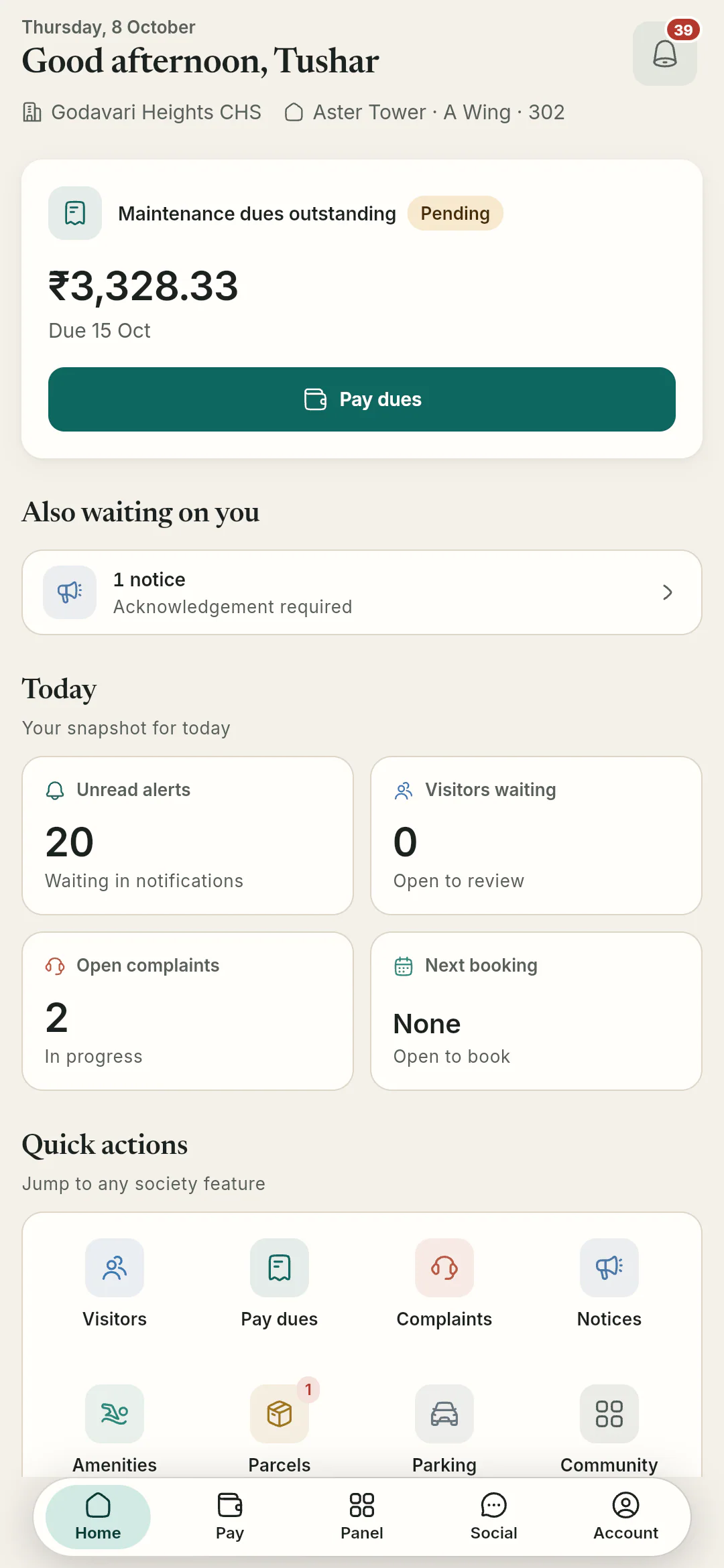
English
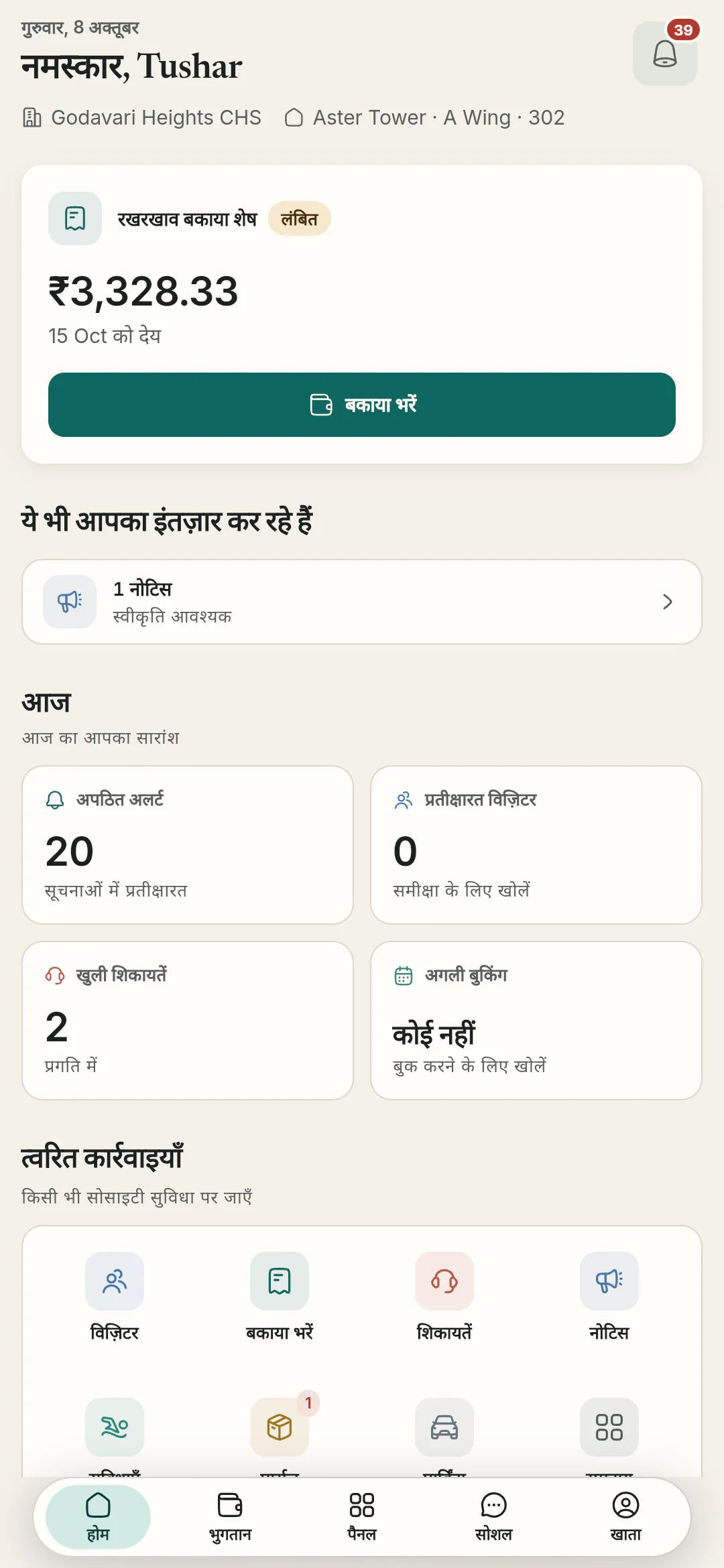
हिन्दी
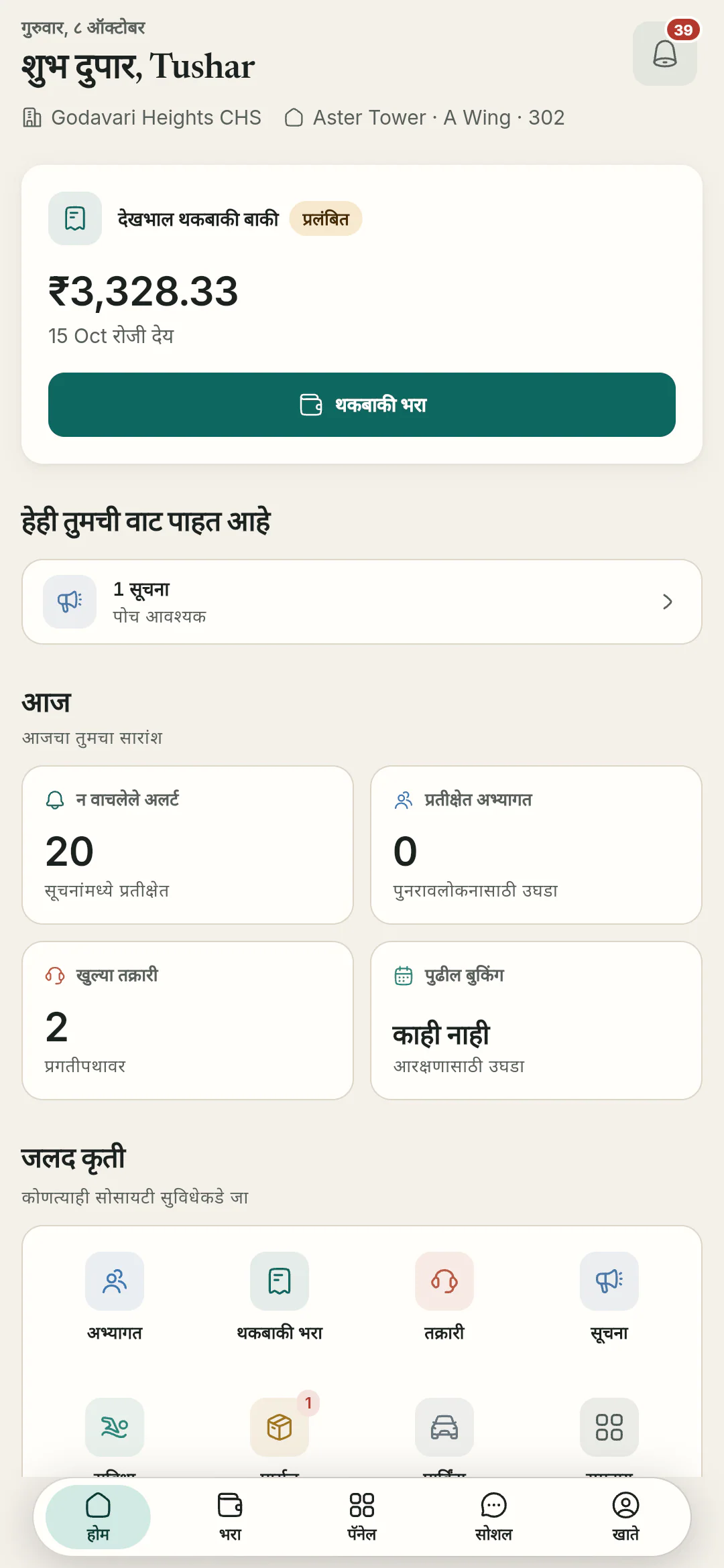
मराठी


Underneath every part
The things that hold for the whole app, whichever screen you are on.
OGSetu is built for Android, iOS and the web. Public store listings are not live yet, so we set up access for each society during onboarding.

- Sign in with Qviple
- Everyone signs in with a Qviple account, by password or an OTP to their mobile number. Residents join with the society code; admins and flat owners can be handed a one-time claim code.
- Checked on the server
- Every change is checked against the person’s society and role before it is saved, not just hidden in the app.
- Your data, your call
- Any member can export their data or delete their OGSetu account from the app. Payment records stay, anonymised, so the accounts still add up.
- Sessions that end
- Sessions end after eight hours of inactivity, and shared documents download through links that expire.
- Notifications with quiet hours
- One inbox, preferences by category, and pushes on Android, iOS and the web. SOS alerts are the one thing that ignores quiet hours.
- Light, dark and 28 themes
- The app follows the phone’s light or dark setting, or either can be chosen, with 28 themes to pick from.
See every part on a sample society
A demo walks your committee through the gate, the dues and the notice board. Then we set up your society with you.
Or write to hello@ogsetu.com